Computer Architecture
Computer architecture is the blueprint for how a computing system is put together: how the CPU, memory, and I/O connect, how instructions actually get executed, and how those design choices trade off speed, power, and cost against each other. It's the layer between raw circuitry and the code you write, the reason a phone chip, a desktop CPU, and a microcontroller can look so different from each other despite all being, underneath, a processor connected to memory and the outside world.
This matters directly for embedded C: writing code that talks to real hardware means reasoning about registers, memory-mapped I/O, and instruction execution, not just language syntax. The tutorials below build that mental model from the ground up, each one assuming only what the earlier ones already covered.
How These Tutorials Fit Together
Read in this order if you're starting from scratch, each section builds on the one before it:
- Foundations: What Is Computer Architecture?, Hardware, Software, and Firmware Explained, and The Basic Building Blocks of a Computer lay out the overall system model: what architecture means, the three layers every device has, and the four parts (CPU, memory, storage, I/O) every computer is built from.
- Inside the CPU: What Is a CPU? How It Works and Von Neumann vs. Harvard Architecture zoom into the processor itself, the control unit, ALU, and registers that actually execute instructions, and the two competing models for how a CPU reaches instructions and data in the first place.
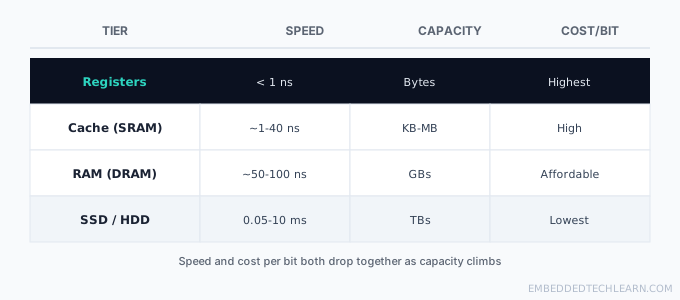
- Memory Systems: RAM vs. ROM, CPU Cache Memory Explained, Cache Coherence Explained, and The Memory Hierarchy Explained cover every tier a system uses to store data, why they're all different technologies, and how multi-core chips keep their caches in agreement.
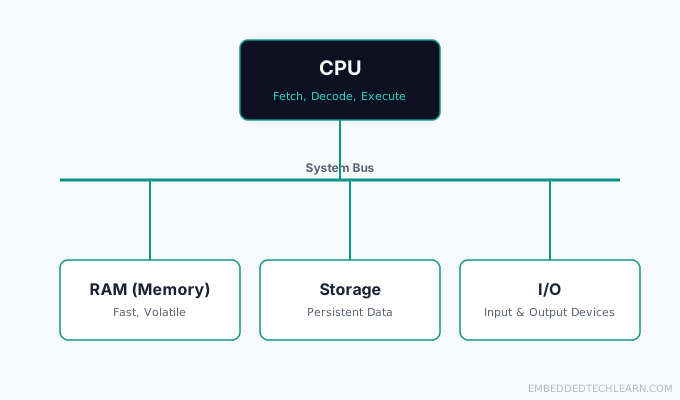 Computer Architecture
What Is Computer Architecture? A Beginner's Guide
Computer architecture explains how the CPU, memory, and I/O work together. Learn the core concepts, real examples, and why these design choices matter.
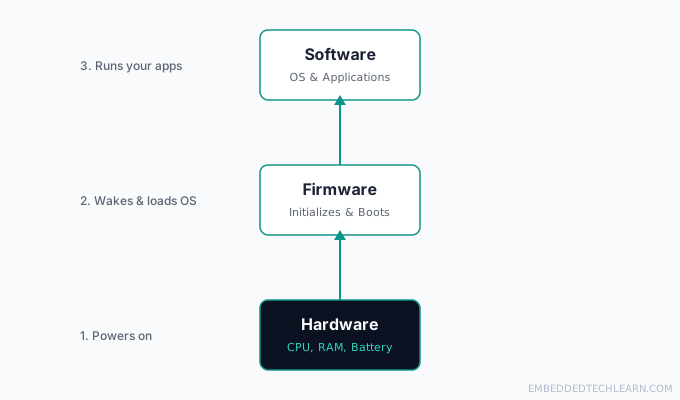 Computer Architecture
Hardware vs. Software vs. Firmware Explained (With Examples)
Hardware, software, and firmware get confused constantly. Here's what each means, how they work together, and real examples from devices you use daily.
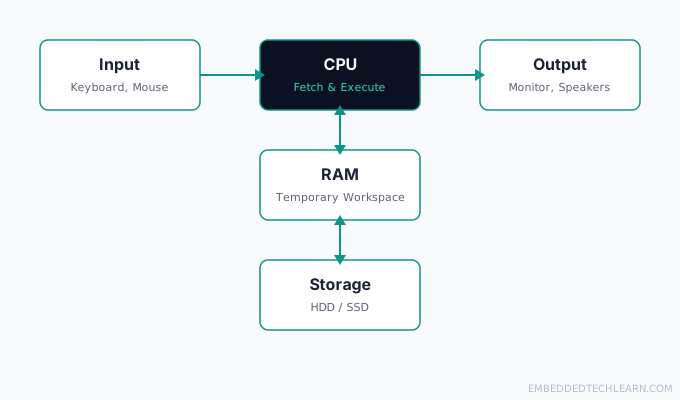 Computer Architecture
The Basic Building Blocks of a Computer
Every computer, no matter how small, is built from the same four parts: CPU, memory, storage, and I/O. Here is what each one actually does, with real examples.
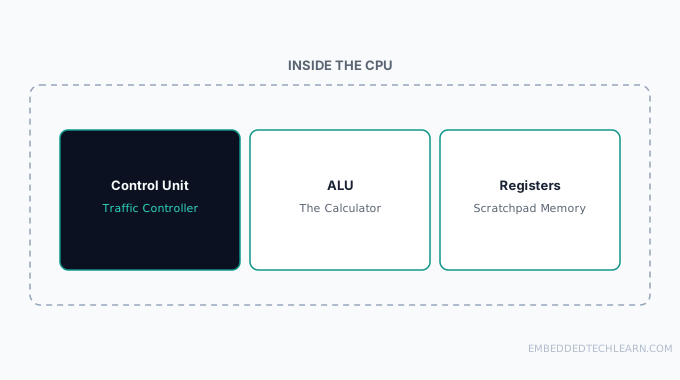 Computer Architecture
What Is a CPU? How It Works
A CPU fetches, decodes, and executes instructions using three internal parts: the control unit, the ALU, and registers. Here is how each one works.
 Computer Architecture
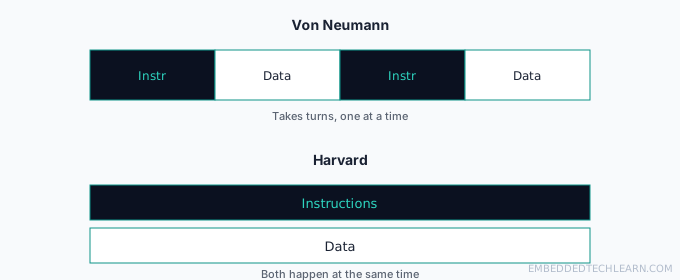
Von Neumann vs. Harvard Architecture
Both models solve the same problem differently: how the CPU reaches instructions and data. Here is the trade-off, real chip examples, and how to choose.
 Computer Architecture
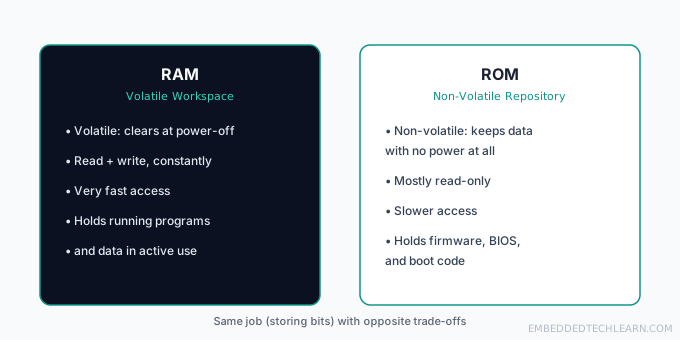
RAM vs. ROM: What's the Difference?
RAM and ROM both store bits but solve opposite problems: one is fast and volatile, the other survives power loss. Here is how each works and where they fit.
 Computer Architecture
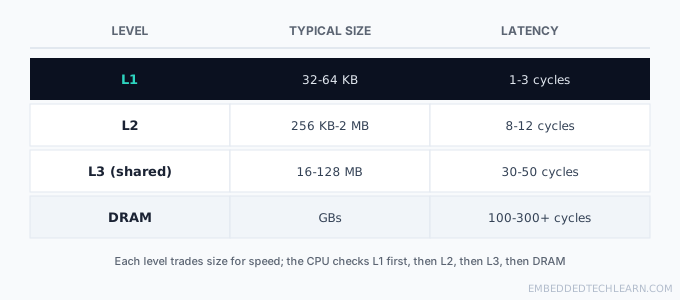
CPU Cache Memory Explained
CPU cache bridges the memory wall between fast processors and slow DRAM. Learn the L1/L2/L3 hierarchy, write policies, and how to measure cache performance.
 Computer Architecture
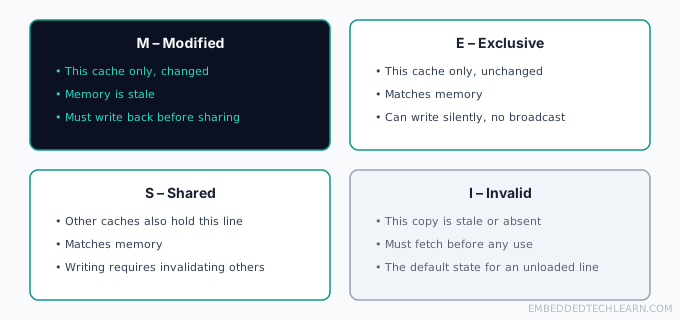
Cache Coherence Explained
When multiple CPU cores each cache the same memory, something has to keep them in sync. Learn snooping vs. directory protocols and the MESI state machine.
 Computer Architecture
The Memory Hierarchy: Why Computers Use Different Memory Types
Registers, cache, RAM, and storage each trade speed and cost per bit for capacity. Learn the transistor-level economics behind why this hierarchy exists.